|
Routines |
| Prev: 49900 | Up: Map | Next: 49955 |
|
Used by the routine at RunPentagramStone.
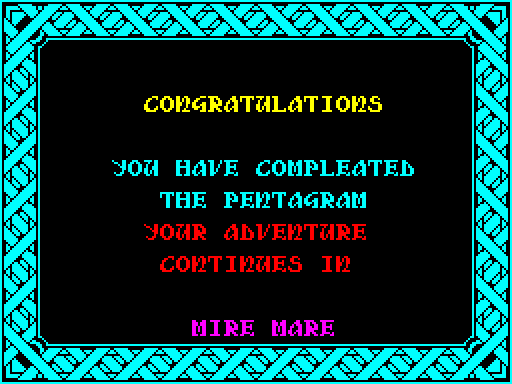
Shows the screen for when the pentagram is complete, which is a frame with six lines of text in it. It is followed by the game over screen, which carries on from where this ends.
|
||||||
|
Show the victory screen.
|
||||||
| ShowVictoryScreen | 49922 | CALL ClearScreenBuffer | Call ClearScreenBuffer to clear the buffer. | |||
| 49925 | LD A,69 | Set the attribute in A to bright cyan ink on a black paper. | ||||
| 49927 | CALL FillAttributes | Call FillAttributes to set all the attributes to it. | ||||
| 49930 | LD DE,50153 | Take the colours of the lines, VictoryColours. | ||||
| 49933 | EXX | Switch to the shadow registers. | ||||
| 49934 | LD HL,50141 | Take the positions of the lines, VictoryPositions. | ||||
| 49937 | LD DE,50059 | Take the text of the lines, VictoryText. | ||||
| 49940 | LD B,6 | Set a counter in BC' of six lines. | ||||
| 49942 | XOR A | Write 0 to BorderDrawnFlag, so that the frame will be drawn. | ||||
| 49943 | LD (42804),A | |||||
| 49946 | CALL DisplayMenu_Next | Call DisplayMenu_Next to draw the lines of text and the frame, and to copy the buffer to the screen. | ||||
|
Play the victory tune.
|
||||||
| 49949 | LD DE,55407 | Take the victory tune, VictoryTune. | ||||
| 49952 | CALL PlayMusic | Call PlayMusic to play it. | ||||
| Prev: 49900 | Up: Map | Next: 49955 |