|
Routines |
| Prev: 60A4 | Up: Map | Next: 60E2 |
|
Used by the routine at DrawPantry.
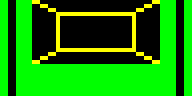
Draws the tiles for one shelf of the pantry. A shelf is 06 tiles wide and 03 tiles tall. There are two graphics for a shelf; the normal one and the highlighted one, which is used when the shelf's bit is set in PantryHighlightMask. The example below is for the top shelf (shelf 05). Its colours are set first, so that the tiles can be seen.
|
||||||||||||||||||||
|
Make the second byte of a BIT command from the shelf number.
|
||||||||||||||||||||
| DrawShelf | 60BD | PUSH BC | Stash the shelf number and C on the stack. | |||||||||||||||||
| 60BE | PUSH DE | Stash the address of the normal graphic on the stack. | ||||||||||||||||||
| 60BF | LD A,B | Fetch the shelf number. | ||||||||||||||||||
| 60C0 | RLCA | Multiply by 08 so that the shelf number is in bits 3-5. | ||||||||||||||||||
| 60C1 | RLCA | |||||||||||||||||||
| 60C2 | RLCA | |||||||||||||||||||
| 60C3 | AND %00111000 | Keep only bits 3-5. | ||||||||||||||||||
| 60C5 | OR %01000111 | Set bits 0-2 and bit 6. | ||||||||||||||||||
| 60C7 | LD ($60CE),A | Write A to 60CE. | ||||||||||||||||||
| 60CA | LD A,($5F2A) | Fetch the mask of the highlighted shelf. | ||||||||||||||||||
|
Self modifying code; the command which is here is made into BIT n,A, where n is the shelf number, by the instructions above. It is shown as RLC B as that is how it is stored.
|
||||||||||||||||||||
| DrawShelf_TestBit | 60CD | RLC B | Test the bit for the shelf in the mask. | |||||||||||||||||
| 60CF | JR Z,DrawShelf_Print | Jump to DrawShelf_Print if this shelf is not highlighted. | ||||||||||||||||||
| 60D1 | PUSH HL | Move DE on to the highlighted graphic, which is 12 bytes further on (preserving HL). | ||||||||||||||||||
| 60D2 | LD HL,$0012 | |||||||||||||||||||
| 60D5 | ADD HL,DE | |||||||||||||||||||
| 60D6 | EX DE,HL | |||||||||||||||||||
| 60D7 | POP HL | |||||||||||||||||||
| DrawShelf_Print | 60D8 | LD C,$03 | Set the number of rows to 03. | |||||||||||||||||
| 60DA | LD A,$06 | Set the width to 06 tiles. | ||||||||||||||||||
| 60DC | CALL PrintTileBlock | Print the tiles for the shelf using PrintTileBlock. | ||||||||||||||||||
| 60DF | POP DE | Restore the address of the normal graphic from the stack. | ||||||||||||||||||
| 60E0 | POP BC | Restore the shelf number and C from the stack. | ||||||||||||||||||
| 60E1 | RET | Return. | ||||||||||||||||||
| Prev: 60A4 | Up: Map | Next: 60E2 |