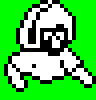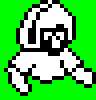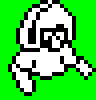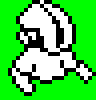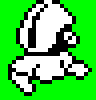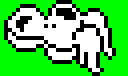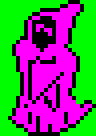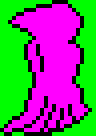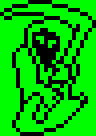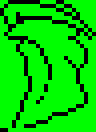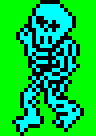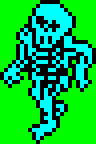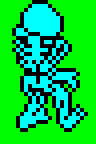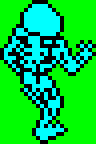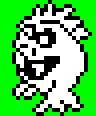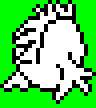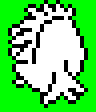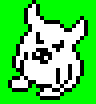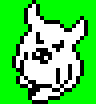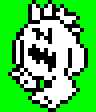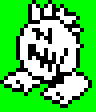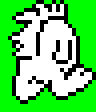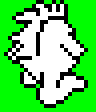
Player Legs
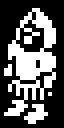
The area around the player is coloured by the player's health (see PlayerHealthColours): bright white at full health, then bright yellow, and bright green when the player is nearly dead. The sprites are shown here in white, as they are at full health.
10 player-legs-a-frame-1-colour 11 15 player-legs-a-frame-2-colour 12 14 player-legs-a-frame-3-colour 13 player-legs-a-frame-4-colour
16 player-bumping-body-a-colour 18 player-legs-b-frame-1-colour 19 1D player-legs-b-frame-2-colour 1A 1C player-legs-b-frame-3-colour
1B player-legs-b-frame-4-colour 1E player-bumping-body-b-colour
Player Body
The area around the player is coloured by the player's health (see PlayerHealthColours): bright white at full health, then bright yellow, and bright green when the player is nearly dead. The sprites are shown here in white, as they are at full health.
20 player-body-a-frame-1-colour 21 25 player-body-a-frame-2-colour 22 24 player-body-a-frame-3-colour 23 player-body-a-frame-4-colour
26 player-body-a-frame-5-colour 27 player-body-a-frame-6-colour 28 player-body-b-frame-1-colour 29 2D player-body-b-frame-2-colour
2A 2C player-body-b-frame-3-colour 2B player-body-b-frame-4-colour 2E player-body-b-frame-5-colour 2F player-body-b-frame-6-colour
Bonuses
The game does not give these sprites a colour of their own. They are drawn in the white ink of the playing area, so they are shown here in white.
02 speed-bonus-colour 03 health-bonus-colour
Items
The game colours the items in the same way as the monsters that need them, which are bright red, magenta, green and cyan for the items 01 to 04.
04 08 item-1-colour 05 09 item-2-colour 06 0A item-3-colour 07 0B item-4-colour
Shots
The game does not give these sprites a colour of their own. They are drawn in the white ink of the playing area, so they are shown here in white.
30 50 8C shot-1-frame-1-colour 31 51 shot-1-frame-2-colour 32 52 shot-1-frame-3-colour 33 53 shot-1-frame-4-colour
34 54 8D shot-2-frame-1-colour 35 37 55 57 shot-2-frame-2-colour 36 56 shot-2-frame-3-colour 38 58 8E shot-3-frame-1-colour
39 59 shot-3-frame-2-colour 3A 5A shot-3-frame-3-colour 3B 5B shot-3-frame-4-colour 3C 5C 8F shot-4-frame-1-colour
3D 5D shot-4-frame-2-colour 3E 5E shot-4-frame-3-colour 3F 5F shot-4-frame-4-colour
Spores
The game does not give these sprites a colour of their own. They are drawn in the white ink of the playing area, so they are shown here in white.
40 spore-1-frame-1-colour 41 43 spore-1-frame-2-colour 42 spore-1-frame-3-colour 44 spore-2-frame-1-colour
45 47 spore-2-frame-2-colour 46 spore-2-frame-3-colour 48 spore-3-frame-1-colour 49 4B spore-3-frame-2-colour
4A spore-3-frame-3-colour 4C spore-4-frame-1-colour 4D 4F spore-4-frame-2-colour 4E spore-4-frame-3-colour
Monsters
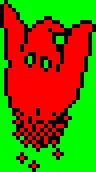
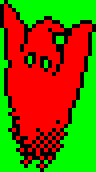
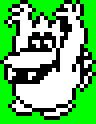
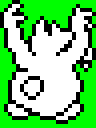
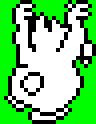
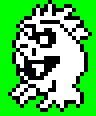
Each kind of monster has a colour of its own: bright red, magenta, green or cyan.
60 62 90 monster-1-frame-1-colour 61 63 91 monster-1-frame-2-colour 64 65 92 93 monster-2-frame-1-colour 66 67 monster-2-frame-2-colour
68 69 94 95 monster-3-frame-1-colour 6A 6B monster-3-frame-2-colour 6C 96 monster-4-frame-1-colour 6D 97 monster-4-frame-2-colour
6E monster-4-frame-3-colour 6F monster-4-frame-4-colour
Creatures
The game does not give these sprites a colour of their own. They are drawn in the white ink of the playing area, so they are shown here in white.
70 creature-1-frame-1-colour 71 creature-1-frame-2-colour 72 creature-1-frame-3-colour 73 creature-1-frame-4-colour
74 creature-2-frame-1-colour 75 creature-2-frame-2-colour 76 creature-2-frame-3-colour 77 creature-2-frame-4-colour
78 creature-3-frame-1-colour 79 creature-3-frame-2-colour 7A creature-3-frame-3-colour 7B creature-3-frame-4-colour
7C creature-4-frame-1-colour 7D creature-4-frame-2-colour 7E creature-4-frame-3-colour 7F creature-4-frame-4-colour
Ghost
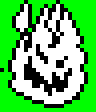
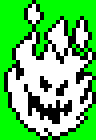
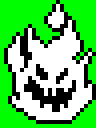
The ghost is drawn in the white ink of the playing area, so it is shown here in white. The ghosts of the ending are coloured when they are drawn (see UpdateEndingGhost).
88 ghost-frame-1-colour 89 8B ghost-frame-2-colour 8A ghost-frame-3-colour
Bursts
The game does not give these sprites a colour of their own. They are drawn in the white ink of the playing area, so they are shown here in white.
0C 83 84 burst-1-colour 0D 82 85 burst-2-colour 0E 81 86 burst-3-colour 0F 80 87 burst-4-colour
Logo Pieces
The game draws the pieces of the title graphic in bright white at the end of the game (see UpdateLogoPiece).
98 logo-piece-1-colour 99 logo-piece-2-colour 9A logo-piece-3-colour 9B logo-piece-4-colour
9C logo-piece-5-colour 9D logo-piece-6-colour
Wall Strips
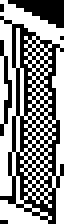
The game colours the walls of a cell from the lowest two bits of its tile (see ColourWallColumn): bright green, cyan, yellow or white. The colour depends on the cell and not on the strip, so the strips are shown here in white.
00 2A wall-strip-00-colour 01 wall-strip-01-colour 02 wall-strip-02-colour 03 wall-strip-03-colour
04 wall-strip-04-colour 05 wall-strip-05-colour 06 wall-strip-06-colour 07 wall-strip-07-colour
08 wall-strip-08-colour 09 wall-strip-09-colour 0A wall-strip-0a-colour 0B wall-strip-0b-colour
0C wall-strip-0c-colour 0D wall-strip-0d-colour 0E wall-strip-0e-colour 0F wall-strip-0f-colour
10 wall-strip-10-colour 11 wall-strip-11-colour 12 wall-strip-12-colour 13 wall-strip-13-colour
14 wall-strip-14-colour 15 wall-strip-15-colour 16 wall-strip-16-colour 17 wall-strip-17-colour
18 wall-strip-18-colour 19 wall-strip-19-colour 1A wall-strip-1a-colour 1B wall-strip-1b-colour
1C wall-strip-1c-colour 1D wall-strip-1d-colour 1E wall-strip-1e-colour 1F wall-strip-1f-colour
20 wall-strip-20-colour 21 wall-strip-21-colour 22 wall-strip-22-colour 23 wall-strip-23-colour
24 wall-strip-24-colour 25 wall-strip-25-colour 26 wall-strip-26-colour 27 wall-strip-27-colour
28 wall-strip-28-colour 29 wall-strip-29-colour 2B wall-strip-2b-colour 2C wall-strip-2c-colour
2D wall-strip-2d-colour 2E wall-strip-2e-colour 2F wall-strip-2f-colour 30 wall-strip-30-colour
31 wall-strip-31-colour 32 wall-strip-32-colour 33 wall-strip-33-colour
Cell Strips
The strips that draw the ground of a cell are not given a colour of their own. They are drawn in the white ink of the playing area, so they are shown here in white.
00 01 strip-graphic-1-colour 02 strip-graphic-2-colour 03 strip-graphic-3-colour
Inventory Icons
00 inventory-icon-00-colour 01 inventory-icon-01-colour 02 inventory-icon-02-colour 03 inventory-icon-03-colour 04 inventory-icon-04-colour 05 inventory-icon-05-colour
06 inventory-icon-06-colour 07 inventory-icon-07-colour 08 inventory-icon-08-colour 09 inventory-icon-09-colour 0A inventory-icon-0a-colour 0B inventory-icon-0b-colour
0C inventory-icon-0c-colour 0D inventory-icon-0d-colour 0E inventory-icon-0e-colour 0F inventory-icon-0f-colour 10 inventory-icon-10-colour 11 inventory-icon-11-colour
Status Panel
Compass icon compass-icon-colour
Compass text (normal view) compass-north-colour
Compass text (rotated view) compass-south-colour
Life icon life-icon-colour
Font
The characters that are used for the score and the text (see Font).
font-digits
font-letters