|
Routines |
| Prev: B6BC | Up: Map | Next: B6FD |
|
Used by the routine at GameOver.
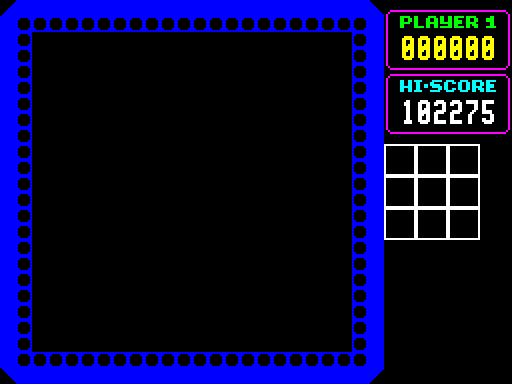
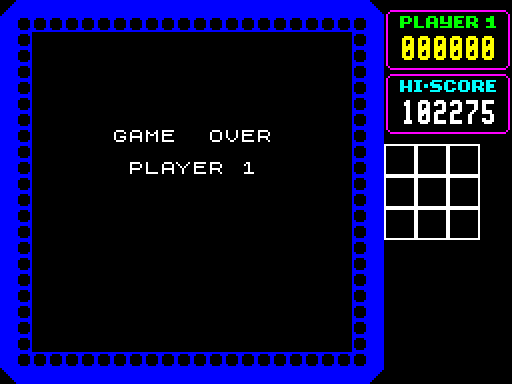
Clears the play window and shows "GAME OVER" followed by the number of the player, then waits for a while.
|
||||||||
| ShowGameOver | B6D2 | LD A,$B1 | Use the "1" of "PLAYER 1" as the last character of the text. | |||||
| ShowGameOver_Player | B6D4 | LD ($B72A),A | Write it as the last character of the second text message. | |||||
| B6D7 | XOR A | Use black as the attribute. | ||||||
| B6D8 | CALL ClearPlayWindowWithAttributes | Clear the play window to black using ClearPlayWindowWithAttributes. | ||||||
| B6DB | LD DE,$B717 | Point DE at Message_GameOver. | ||||||
| B6DE | LD HL,$4038 | Point HL at the position of the message (x position 38, y position 40). | ||||||
| B6E1 | CALL PrintStringColour | Print it using PrintStringColour. | ||||||
| B6E4 | LD HL,$5040 | Point HL at the position of the second message (x position 40, y position 50). | ||||||
| B6E7 | CALL PrintStringColour | Print "PLAYER 1" using PrintStringColour. | ||||||
| B6EA | LD B,$08 | Delay for 08 times 10000 iterations. | ||||||
| B6EC | LD HL,$0000 | |||||||
| B6EF | CALL Delay | Delay using Delay. | ||||||
| B6F2 | LD A,$47 | Use bright white on black as the attribute. | ||||||
| B6F4 | JP FillPlayWindowAttributes | Jump to FillPlayWindowAttributes. | ||||||
|
This entry point is not used. It shows "PLAYER 2" instead.
|
||||||||
| ShowGameOver_Player2 | B6F7 | LD A,$B2 | Use the "2" of "PLAYER 2" as the last character of the text. | |||||
| B6F9 | JR ShowGameOver_Player | Jump to ShowGameOver_Player. | ||||||
|
This entry point is not used.
|
||||||||
| ShowGameOver_Unused | B6FB | JR ShowGameOver | Jump to ShowGameOver. | |||||
|
The entry point at ShowGameOver_Player2 would show "PLAYER 2". It is not used, and nor is ShowGameOver_Unused, as the game only has a single player.
|
||||||||
| Prev: B6BC | Up: Map | Next: B6FD |