|
Routines |
| Prev: 999D | Up: Map | Next: 99D2 |
|
Used by the routine at Draw_Room.
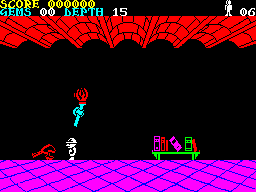
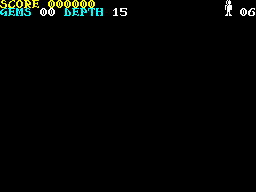
Clears the pixels of the B0 lines of the play area and then sets the attributes of its 16 rows to white. The entry at Clear_Play_Area_Attributes only sets the attributes.
|
||||||||
| Clear_Play_Area | 99AB | LD HL,$BF00 | Set the x position to 00 and the y position to BF (BF00). | |||||
| 99AE | CALL ScreenAddress | Convert the position into a screen address. | ||||||
| 99B1 | LD C,$B0 | Set the number of lines to clear to B0. | ||||||
| Clear_Play_Area_Line_Loop | 99B3 | PUSH HL | Stash the screen address on the stack. | |||||
| 99B4 | LD B,$20 | Set the number of bytes in a line to 20. | ||||||
| Clear_Play_Area_Byte_Loop | 99B6 | LD (HL),$00 | Clear a byte of the line. | |||||
| 99B8 | INC L | Move on to the next byte. | ||||||
| 99B9 | DJNZ Clear_Play_Area_Byte_Loop | Decrease the byte counter and loop back until the line is clear. | ||||||
| 99BB | POP HL | Restore the screen address from the stack. | ||||||
| 99BC | CALL ScreenPosition1PixelAbove | Move up one pixel line. | ||||||
| 99BF | DEC C | Decrease the line counter and loop back until all of the lines are clear. | ||||||
| 99C0 | JR NZ,Clear_Play_Area_Line_Loop | |||||||
|
This entry point is used by the routine at Clear_Screen.
|
||||||||
| Clear_Play_Area_Attributes | 99C2 | LD HL,$5840 | Point at the second row of the attribute buffer (5840). | |||||
| 99C5 | LD C,$16 | Set the number of rows to 16. | ||||||
| Clear_Play_Area_Row_Loop | 99C7 | LD B,$20 | Set the number of cells in a row to 20. | |||||
| Clear_Play_Area_Cell_Loop | 99C9 | LD (HL),$47 | Set the attribute of the cell to white ink on black paper (bright). | |||||
| 99CB | INC HL | Move on to the next cell. | ||||||
| 99CC | DJNZ Clear_Play_Area_Cell_Loop | Decrease the cell counter and loop back until the row is done. | ||||||
| 99CE | DEC C | Decrease the row counter and loop back until all of the rows are done. | ||||||
| 99CF | JR NZ,Clear_Play_Area_Row_Loop | |||||||
| 99D1 | RET | Return. | ||||||
| Prev: 999D | Up: Map | Next: 99D2 |