|
Routines |
| Prev: 99AB | Up: Map | Next: 99F5 |
|
Used by the routines at Draw_Top_Right_Corner, Draw_Bottom_Right_Corner, Draw_Bottom_Left_Corner and Draw_Top_Left_Corner.
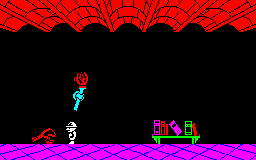
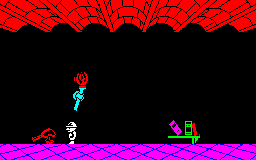
Clears a rectangle of the screen to the right of the position in HL. There are three entry points, which select the size of the rectangle. They stand in for the parts of the frame of the room (see Draw_Room) that are not present.
Each of those routines stashed DE on the stack, so this routine ends by restoring it. The caller is returned to by the last instruction.
|
||||||||||||
| Clear_Panel | 99D2 | LD BC,$0304 | Set the size of the area to 03 bytes wide and 04 lines high (0304). | |||||||||
| 99D5 | JR Clear_Panel_Rectangle | Jump to Clear_Panel_Rectangle. | ||||||||||
|
This entry point is used by the routine at Draw_Right_Wall.
|
||||||||||||
| Clear_Tall_Panel | 99D7 | LD BC,$0370 | Set the size of the area to 03 bytes wide and 70 lines high (0370). | |||||||||
| 99DA | JR Clear_Panel_Rectangle | Jump to Clear_Panel_Rectangle. | ||||||||||
|
This entry point is used by the routine at Draw_Ceiling.
|
||||||||||||
| Clear_Wide_Panel | 99DC | LD BC,$1A20 | Set the size of the area to 1A bytes wide and 20 lines high (1A20). | |||||||||
| Clear_Panel_Rectangle | 99DF | CALL ScreenAddress | Convert the position into a screen address. | |||||||||
| 99E2 | LD E,$00 | Set the byte to write to 00. | ||||||||||
| 99E4 | LD D,B | Keep the width of the rectangle for the next line. | ||||||||||
| Clear_Panel_Loop | 99E5 | LD (HL),E | Clear a byte of the line. | |||||||||
| 99E6 | INC L | Move on to the next byte. | ||||||||||
| 99E7 | DJNZ Clear_Panel_Loop | Decrease the width counter and loop back until the line is clear. | ||||||||||
| 99E9 | LD B,D | Fetch the width of the rectangle again. | ||||||||||
| 99EA | LD A,L | Fetch the low byte of the screen address. | ||||||||||
| 99EB | SUB B | Subtract the width to move back to the start of the line. | ||||||||||
| 99EC | LD L,A | Store the low byte of the address. | ||||||||||
| 99ED | CALL ScreenPosition1PixelBelow | Move down one pixel line. | ||||||||||
| 99F0 | DEC C | Decrease the line counter and loop back until all of the lines are clear. | ||||||||||
| 99F1 | JR NZ,Clear_Panel_Loop | |||||||||||
| 99F3 | POP DE | Restore DE from the stack. | ||||||||||
| 99F4 | RET | Return. | ||||||||||
| Prev: 99AB | Up: Map | Next: 99F5 |