| |
Routines |
| Prev: 668E | Up: Map | Next: 66D7 |
|
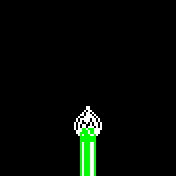
Opens the flower once the "get ready" delay has finished. Every eighth update the flower moves on to the next stage, using the sprite for the stage from FlowerSpriteTable. At stage 04 the flower is coloured in using ColouriseFlower, and at stage 05 the level is complete (LevelComplete).
|
||||||||||||||||||
| UpdateBloomingFlower | 66A6 | CALL StoreEntity | Remember the position and state using StoreEntity. | |||||||||||||||
| 66A9 | LD A,($5E22) | Return if the "get ready" delay in PlayDelay_Counter is not finished. | ||||||||||||||||
| 66AC | AND A | |||||||||||||||||
| 66AD | JR NZ,UpdateBloomingFlower_Return | |||||||||||||||||
| 66AF | LD A,($5E17) | A=the game timer from GameTimer. | ||||||||||||||||
| 66B2 | AND %00000111 | Keep only bits 0-2 (so that the flower only changes stage every eighth update). | ||||||||||||||||
| 66B4 | JR NZ,UpdateBloomingFlower_Return | Return if it is not time for the next stage. | ||||||||||||||||
| 66B6 | CALL GetFlowerSprite | Get the sprite for the current stage using GetFlowerSprite. | ||||||||||||||||
| 66B9 | CALL SetUpPreviousSprite_Address | Set up the previous sprite using SetUpPreviousSprite_Address. | ||||||||||||||||
| 66BC | EXX | Switch to the shadow registers. | ||||||||||||||||
| 66BD | INC (IX+$04) | Increment the stage in IX+04 by one. | ||||||||||||||||
| 66C0 | LD A,(IX+$04) | A=the stage. | ||||||||||||||||
| 66C3 | CP $04 | Compare the stage with 04 (the open flower). | ||||||||||||||||
| 66C5 | CALL Z,ColouriseFlower | Call ColouriseFlower if this is stage 04 to colour the flower in. | ||||||||||||||||
| 66C8 | CP $05 | Jump to LevelComplete if the stage is 05 (note that A has been overwritten if the flower was just coloured). | ||||||||||||||||
| 66CA | JR Z,LevelComplete | |||||||||||||||||
| 66CC | CALL GetFlowerSprite | Get the sprite for the new stage using GetFlowerSprite. | ||||||||||||||||
| 66CF | CALL SetUpSprite_Address | Set up the new sprite using SetUpSprite_Address. | ||||||||||||||||
| 66D2 | EXX | Switch to the shadow registers. | ||||||||||||||||
| 66D3 | CALL DisplayEntity_Compare | Draw the new sprite and erase the previous one using DisplayEntity_Compare. | ||||||||||||||||
| UpdateBloomingFlower_Return | 66D6 | RET | Return. | |||||||||||||||
| Prev: 668E | Up: Map | Next: 66D7 |